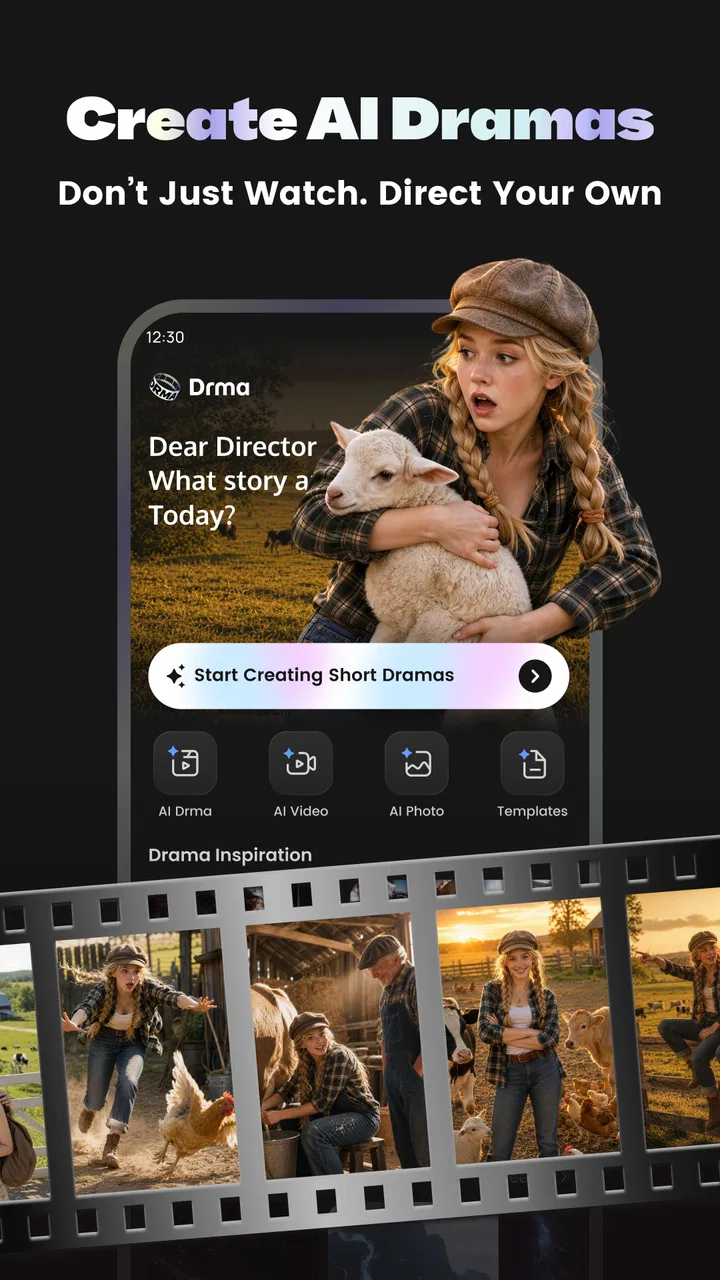
Drma: AI Short Drama Maker
- 4.5
- Rating
- 1.00M
- Installs
- Free
- Price

 Analysis by App-foxy
Video AI - AI Hug & Kiss Maker is the kind of creative app I open when I want to turn a simple photo or idea into something more expressive without spending an evening learning a full video editor. It sits in the art and design category, but its appeal is especially practical: it brings AI video-making, image creation, short dramatic scenes, and ready-made templates into one mobile workflow. I found it most interesting as a quick experimentation tool rather than a replacement for a professional editing suite.
The app is free to install, carries an Everyone age rating, and is made by AI Video Generator - AI Hug & Kiss Video Maker. Its public reception is strong, with a 4.4 average from around 287 thousand ratings and more than a million installs. Those figures suggest that the concept has reached a broad audience, but they do not remove the need to test whether its style of creation suits your own pace, device, and comfort with AI-generated results.
How the creative workflow feels in everyday use
The main attraction is the short distance between an idea and a finished visual. Instead of beginning with a blank timeline, I can start from text, a photo, or a template. That matters when the goal is a playful greeting, a social post, a romantic visual, or a miniature story rather than a carefully edited production. The app encourages quick trials, and that makes it easier to compare different concepts before committing to one.
You May Also Like

 Blood Strike: 2.5 Anniversary
Blood Strike’s Loadouts Turn Every Drop Into a Tactical Gamble
A close look at Blood Strike’s custom loadouts: how fast access to signature weapons reshapes its battle royale rhythm, rewards preparation, and narrows the gap between fights.

 Pandora - Music & Podcasts
Pandora’s Music Is Easy to Start, but Harder to Recover
Pandora’s strength is its low-effort path from a seed to a station. Its weak spot is how much confidence it asks you to place in connection, setup, and quiet recovery.

 8 Ball Pool
 Is Built on Rivalries, Rematches, and Routine
A close look at the rivalries, rematches, shared routines, and unanswered safety questions that turn a quick pool match into a persistent mobile community.

 Samsung Music
’s Quiet Strength Is Playing What You Already Own
Its reach comes less from spectacle than from dependable access to a personal library. That simplicity is both the app’s strongest retention engine and its ceiling.

 AccuWeather: Weather Radar
AccuWeather Review: A Quick, Clear Forecast for Everyday Decisions
For everyday plans, the best forecast is the one you can understand quickly. AccuWeather makes rain timing, radar, and local conditions easy to act on, with a few trade-offs.

 Hill Climb Racing
Why Hill Climb Racing Still Turns Crashes Into One More Run
A tiny car, a bumpy hill and one more upgrade: Hill Climb Racing keeps resurfacing because its simple chaos makes every near-miss feel personal.
More From Our News Desk



I would describe the experience as prompt-led rather than editor-led. In a traditional mobile video editor, I expect to trim clips, arrange layers, adjust transitions, and control timing directly. Here, the creative decision happens earlier: I choose the source material and describe or select the transformation I want. The result can feel surprisingly immediate, but it also means I have less precise control over every movement and expression.
A realistic example would be making a birthday message for a relative. I could use a suitable portrait, choose a gentle affectionate template, and create a short visual to send privately. That is faster than filming, editing, adding music, and exporting from scratch. I would still inspect the result carefully before sharing it, because AI animation can make faces, hands, clothing, or emotional gestures look less natural than expected.
Readability and navigation for first-time users
The app’s concept is easier to understand than a conventional editing program because the starting points are familiar: text, photos, videos, and templates. A person who has never used keyframes or multi-track editing can approach it with a clear question: what do I want this image or sentence to become? That simplicity is a meaningful advantage for casual creators and for anyone who finds professional editing interfaces visually crowded.
Templates also reduce the amount of reading and decision-making needed at the beginning. Rather than inventing a complete visual direction, I can browse examples and choose a starting mood. For someone with limited creative confidence, this is more welcoming than an empty canvas. It also helps when I am working on a small phone screen and do not want to manage many controls at once.
There is a trade-off, though. Template-driven interfaces can hide the difference between an idea that looks good in a preview and one that works well with a particular photo. A portrait with a clear face and uncluttered background is likely to be a better starting point than a dim group picture, even if both technically appear selectable. I recommend choosing source images for clarity first and style second.
The current version is 1.4.3, and the app requires at least Android 8.1. That makes it approachable for people who are not using the newest phone, although the quality and speed of AI generation can still depend heavily on the device and connection. On a smaller display, I would increase system text size only if the app continues to present controls comfortably; enlarged text can sometimes make buttons or labels harder to fit, so checking the preview before starting a long generation is sensible.
Motor and sensory considerations during creation
For users who find precise tapping difficult, the app’s broad creative choices may be less demanding than a timeline editor with tiny handles and multiple tracks. Selecting a template or entering a description can require fewer fine motor actions than trimming several clips frame by frame. This makes it potentially useful for short projects where the desired outcome is expressive rather than technically exact.
That benefit should not be overstated. AI creation still involves repeated selection, scrolling, typing, and reviewing. If a generated result misses the intended expression, I may need to return to the prompt or source image and try again. That repetition can become tiring for anyone with limited hand movement, tremor, fatigue, or pain. A short, specific prompt and a carefully chosen photo reduce unnecessary attempts.
Text-based creation can also help people who prefer composing ideas in words instead of manipulating visual controls. I can describe the mood, relationship, or action I want without drawing or editing each element manually. On the other hand, users with dyslexia, low vision, or cognitive processing difficulties may find long template labels or busy preview screens harder to scan. I would work slowly, use the clearest available wording, and avoid making decisions while the interface feels visually overloaded.
Sensory comfort is another practical consideration. Animated previews, changing images, and emotionally intense hug or kiss effects may not suit everyone. If motion or rapid visual change causes discomfort, I would avoid repeatedly replaying previews and review the final result at a comfortable pace. The app is designed around visual transformation, so it is more suitable for people who can engage with visual content than for someone seeking an audio-first creative tool.
For people who are deaf or hard of hearing, the basic creation idea does not depend on hearing a spoken explanation, which is helpful. Yet the usefulness of a finished video may depend on whether its message is understandable without sound. I would add readable text in another editing tool when the recipient needs captions or a clear written explanation. That is one point where a conventional editor may provide more dependable control.
Situational access: when the app is especially useful
This app makes the most sense when I have limited time, limited editing experience, or a clear desire for a playful transformation. A parent could create a short story-like visual from a child-safe image, a long-distance couple could turn two photos into a sentimental greeting, and a small creator could test several social concepts without first learning a complex production workflow. The Everyone rating makes it broadly approachable, although adults should still use judgment when choosing romantic templates or images for younger viewers.
It can also be useful when the original material is static and needs a little emotional movement. A single portrait may feel ordinary in a message, while a carefully selected animation can make it more memorable. I would keep expectations realistic: the effect is best treated as a creative interpretation, not as a faithful reconstruction of a real event or a substitute for authentic footage.
The app is less suitable when accuracy matters more than novelty. If I need a person’s hands to move exactly as directed, a product demonstration to preserve precise proportions, or a business video with strict brand timing, I would choose a conventional editor or a specialized production tool. AI templates are valuable for speed, but speed comes from giving the system part of the creative control.
Another situational issue is privacy and consent. Before using someone else’s portrait, especially for an intimate hug or kiss effect, I would ask permission and consider how the result might be interpreted. A humorous transformation that seems harmless to one person can feel uncomfortable or misleading to another. The app makes visual experimentation easy, so responsible sharing matters just as much as the technical result.
Three practical techniques that improve the results
First, I would prepare the source photo before opening the generator. A face that is visible, well framed, and not hidden by sunglasses, heavy shadows, or other people gives the AI a cleaner subject to interpret. This is more useful than repeatedly changing templates while keeping a poor source image. If the original photo is emotionally important, I would keep an untouched copy and use a duplicate for experimentation.
Second, I would treat templates as starting points rather than promises. I would preview several options with the same image and compare whether the action fits the person’s pose, clothing, and background. A dramatic template can be entertaining, but a calmer one may look more believable with a formal portrait. This simple comparison saves time and helps avoid choosing an effect only because its thumbnail is attractive.
Third, I would write prompts around one clear action and one clear mood. A crowded request that asks for several characters, complicated movement, a location change, and a cinematic story may produce an inconsistent result. A shorter instruction gives me a better chance of understanding what the app has interpreted. I would then change one element at a time instead of rewriting everything after every attempt.
A fourth useful habit is to review the export as a recipient would see it, not only as the creator. I would check whether the face remains recognizable, whether the movement feels respectful, and whether the visual message could be misunderstood without context. This is particularly important for affectionate effects, because an AI-generated hug or kiss can appear more personal than the sender intended.
Where the experience still creates barriers
The largest barrier is the gap between simple controls and unpredictable output. A friendly interface can make creation feel accessible, but it cannot guarantee that every generated result will match the user’s intention. People who need dependable visual accuracy may become frustrated by retries, while users with limited energy may find the trial-and-error process more demanding than expected.
Cost can create another point of friction. The app is free to install, but in-app purchases range from $0.99 to $59.99 per item. I would therefore check what is available in the free experience before beginning a project that matters to me, and I would treat paid generation as an optional creative expense rather than assuming every feature is included. Anyone on a strict budget should be especially careful around repeated experiments.
The app may also be a poor fit for people who want detailed accessibility controls, precise caption design, or a fully manual editing environment. I would not choose it as my only tool for content that must meet a particular communication need. A standard editor can be slower, but it usually gives clearer control over text placement, timing, cropping, and the exact appearance of the final video.
People who are sensitive about synthetic representations should also think carefully before using face-based effects. Even a harmless-looking animation can change how a person appears or imply an action that never happened. The creative freedom is appealing, but it comes with a responsibility to label or explain generated content when context could be mistaken.
Who should use it, and who should skip it?
I would recommend Video AI - AI Hug & Kiss Maker to casual creators who want fast, expressive experiments from text or photos. It is a good match for personal greetings, playful social posts, visual storytelling tests, and anyone intimidated by traditional editing software. The combination of templates and AI generation lowers the entry barrier, especially when the user values speed over frame-by-frame control.
I would suggest skipping it if the main goal is professional precision, predictable character animation, advanced sound editing, or complete manual ownership of every visual detail. It is also not my first choice for sensitive images where an unintended facial change or gesture could cause harm. In those cases, a slower and more controllable workflow is worth the extra effort.
The developer’s long name makes the app’s purpose immediately clear, and the strong rating and large install base show that many people are willing to try this style of creation. Still, popularity should not be confused with universal suitability. The right question is whether you enjoy exploring variations and accepting some AI unpredictability.
My inclusive verdict
After looking at the app through the needs of different users and situations, I see it as an approachable visual idea generator with a particularly low starting barrier. It can reduce the fine motor burden of traditional editing, support people who prefer words and templates, and make a static photo feel more personal in a few steps. Those strengths are meaningful for casual, everyday projects.
Its limitations are equally important: visual previews may be busy, repeated retries can be tiring, accessibility needs such as captions may require another tool, and paid items can become expensive if experimentation expands. I would use it with clear source images, short prompts, careful consent, and a final review focused on how the recipient might interpret the result.
My recommendation is simple: use it when you want quick emotional or imaginative visuals, not when you need exact production control. For the right user, the app turns an ordinary photo into a fun starting point without demanding professional editing skills. For users who need predictable output, strong manual controls, or a carefully accessible finished video, a conventional editor remains the better choice.
FAQs for Drma: AI Short Drama Maker
01What is Video AI - AI Hug & Kiss Maker used for?
Video AI - AI Hug & Kiss Maker is designed to create personalized video content by adding AI-generated hugs and kisses to your videos. Ideal for creating heartfelt messages, the app uses advanced AI technology to seamlessly integrate these affectionate gestures, enhancing personal videos for sharing on social media or with loved ones.
02Is Video AI - AI Hug & Kiss Maker user-friendly?
Yes, the app is designed with an intuitive interface, making it easy for users of all skill levels to create customized videos. The straightforward navigation and simple editing tools ensure that even beginners can quickly learn to add AI-generated effects without a steep learning curve.
03Are there any in-app purchases or subscriptions?
Video AI - AI Hug & Kiss Maker offers a range of features for free, but to access premium effects and tools, users may need to opt for in-app purchases or a subscription. These options unlock additional content, allowing for more personalization and advanced video editing capabilities.
04What are the system requirements for installing the app?
The app requires a device running Android 8.0 or iOS 12.0 or later. It is optimized for both platforms to ensure smooth performance, but users should ensure their device has enough storage and RAM to handle video processing efficiently for the best experience.
05How secure is my data when using Video AI - AI Hug & Kiss Maker?
The app prioritizes user privacy by implementing industry-standard encryption and data protection protocols. While using the app, personal videos are processed securely, and user data is not shared with third parties without consent, ensuring a safe environment for creating and sharing content.
Pros
- Generates fun and creative AI videos easily.
- User-friendly interface for quick edits.
- Variety of templates to choose from.
- Regular updates with new features.
- Low processing time for video rendering.
Cons
- Limited customization options for advanced users.
- Requires internet connection for full functionality.
- In-app purchases can be pricey.
- Occasional glitches with AI recognition.
- Ads can be intrusive during editing.

Drma: AI Short Drama Maker
Gallery